Security & Identity
CertChain uses a multi-layered identity and security model combining Keycloak OIDC, Fabric MSP (X.509), and Kubernetes RBAC.
Keycloak Architecture
The demo runs 4 Keycloak instances — one central broker and one per organization:
| Instance | Namespace | Purpose |
|---|---|---|
Central Keycloak |
|
Federation hub — identity brokering for cert-portal |
TechPulse Keycloak |
|
TechPulse users — admin, student01, student02 |
DataForge Keycloak |
|
DataForge users — admin, student03, student04 |
NeuralPath Keycloak |
|
NeuralPath users — admin, student05, student06 |
Identity Brokering
The Central Keycloak uses Organizations and Identity Providers (OIDC) to route authentication to the correct org:
-
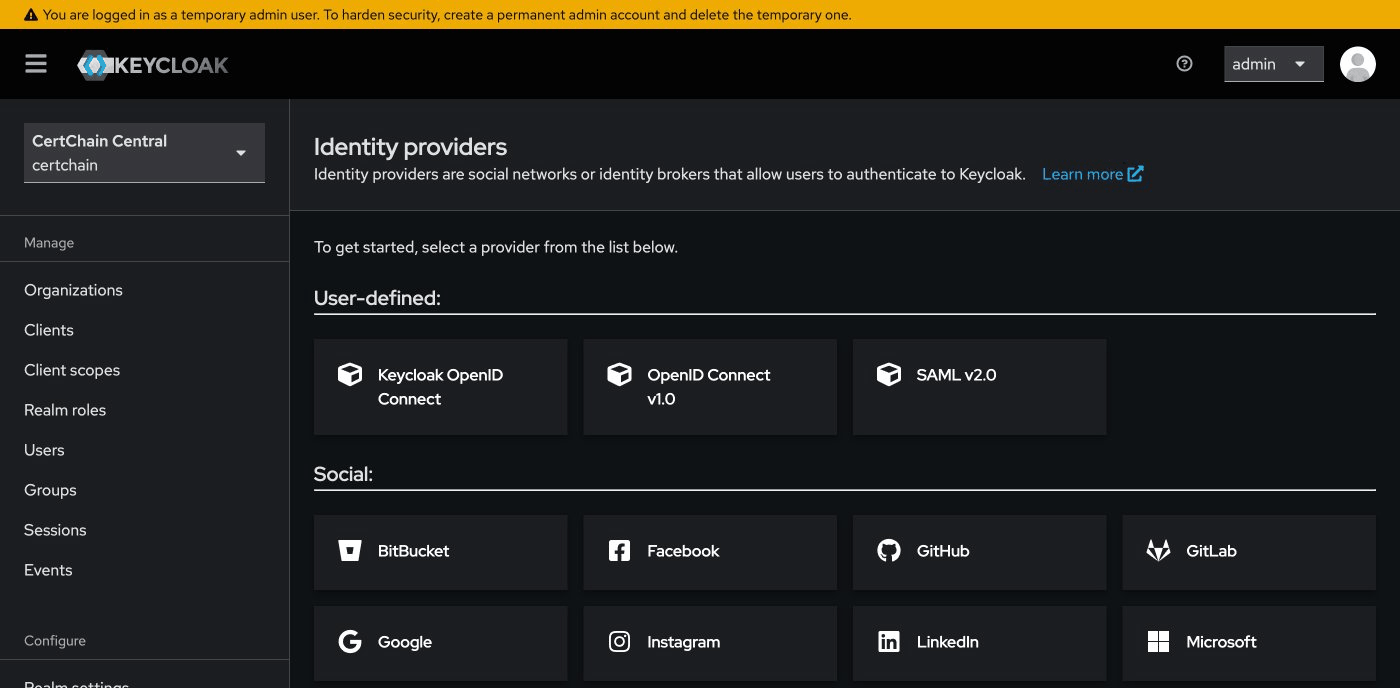
Central Keycloak has three OIDC Identity Providers: TechPulse, DataForge, NeuralPath
-
Each Identity Provider points to the corresponding org’s Keycloak instance
-
When a user clicks Student Login on the Cert Portal, Central Keycloak shows org buttons
-
The user clicks their organization and is redirected to that org’s Keycloak for authentication
-
The org Keycloak authenticates the user and returns a token through the broker
You can explore this configuration:
-
Open Central Keycloak: Open
-
Log in with
admin/admin -
Navigate to Identity Providers — you’ll see the OIDC providers for each org
-
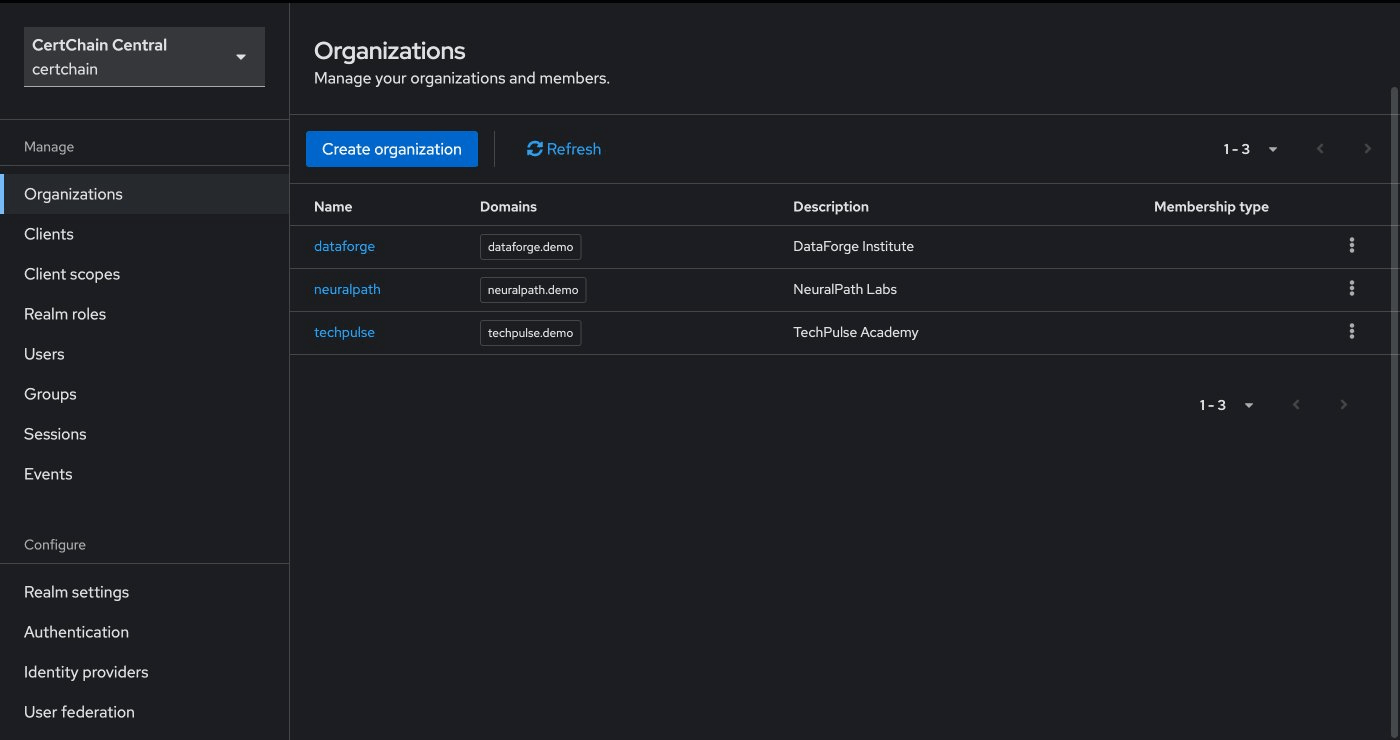
Navigate to Organizations — you’ll see TechPulse, DataForge, NeuralPath with their email domains
RBAC: Role-Based Access Control
Each org Keycloak defines two roles:
-
org-admin— Can issue, view, and revoke certificates -
user— Can view their own transcript (student role)
Demo: End-to-End Security Walkthrough
This scenario proves that security is enforced at every layer by tracing a single certificate issuance through the full trust chain — from OIDC authentication to blockchain consensus.
Step 1: Obtain an Admin JWT Token
Request a token from TechPulse’s Keycloak as the org admin:
# Authenticate as TechPulse admin
ADMIN_TOKEN=$(curl -sk -X POST \
  "https:///realms/techpulse/protocol/openid-connect/token" \
  -d "grant_type=password" \
  -d "client_id=course-manager-ui" \
  -d "username=admin@techpulse.demo" \
  -d "password=admin" | python3 -c "import sys,json; print(json.load(sys.stdin)['access_token'])")

echo "$ADMIN_TOKEN" | cut -d. -f2 | base64 -d 2>/dev/null | python3 -m json.tool
Inspect the decoded JWT payload. Notice these key claims:
-
realm_access.rolescontainsorg-admin— this is the role the API checks -
isspoints to the TechPulse Keycloak realm — proving the token’s origin -
azpiscourse-manager-ui— the authorized client
Step 2: Issue a Certificate (Admin Succeeds)
Use the admin token to issue a certificate:
# Generate a unique cert ID (safe for repeated runs)
SEC_CERT_ID="SEC-TEST-$(date +%s)"

curl -sk -X POST \
  "https:///api/v1/certificates" \
  -H "Authorization: Bearer $ADMIN_TOKEN" \
  -H "Content-Type: application/json" \
  -d "{
    \"certID\": \"$SEC_CERT_ID\",
    \"studentID\": \"student01@techpulse.demo\",
    \"studentName\": \"Security Walkthrough\",
    \"courseID\": \"SEC-101\",
    \"courseName\": \"Security Verification\",
    \"issueDate\": \"2026-03-14\",
    \"expiryDate\": \"2027-03-14\"
  }" | python3 -m json.tool
Expected: HTTP 200 with the issued certificate. This request passed three security checks:
-
Keycloak OIDC — Valid JWT with
org-adminrole from TechPulse realm -
Fabric MSP (X.509) — The API used the
admin-mspidentity to sign the Fabric transaction proposal -
BFT Consensus — The orderers validated the transaction before committing to the ledger
Step 3: Verify the Certificate Publicly
Now verify the certificate through the public verify-api — no token required:
curl -sk "https:///api/v1/verify/$SEC_CERT_ID" | python3 -m json.tool Expected: "status": "VALID" — the certificate exists on the blockchain and is publicly verifiable.
Step 4: Attempt Issuance as a Student (Rejected)
Now prove that a student cannot issue certificates:
# Authenticate as a student (no org-admin role)
STUDENT_TOKEN=$(curl -sk -X POST \
  "https:///realms/techpulse/protocol/openid-connect/token" \
  -d "grant_type=password" \
  -d "client_id=course-manager-ui" \
  -d "username=student01@techpulse.demo" \
  -d "password=student" | python3 -c "import sys,json; print(json.load(sys.stdin)['access_token'])")

# Try to issue a certificate — should be rejected
curl -sk -w "\nHTTP %{http_code}\n" -X POST \
  "https:///api/v1/certificates" \
  -H "Authorization: Bearer $STUDENT_TOKEN" \
  -H "Content-Type: application/json" \
  -d '{
    "certID": "SEC-HACK-001",
    "studentID": "student01@techpulse.demo",
    "studentName": "Unauthorized Attempt",
    "courseID": "HACK-101",
    "courseName": "Should Not Work",
    "issueDate": "2026-03-14",
    "expiryDate": "2027-03-14"
  }'
Expected: HTTP 403 Forbidden — the student’s JWT lacks the org-admin role. The request never reaches the blockchain.
Step 5: Attempt Cross-Org Access (Rejected)
Prove that a DataForge admin cannot issue certificates through TechPulse’s API:
# Authenticate as DataForge admin
DF_TOKEN=$(curl -sk -X POST \
  "https:///realms/dataforge/protocol/openid-connect/token" \
  -d "grant_type=password" \
  -d "client_id=course-manager-ui" \
  -d "username=admin@dataforge.demo" \
  -d "password=admin" | python3 -c "import sys,json; print(json.load(sys.stdin)['access_token'])")

# Try issuing through TechPulse's API
curl -sk -w "\nHTTP %{http_code}\n" -X POST \
  "https:///api/v1/certificates" \
  -H "Authorization: Bearer $DF_TOKEN" \
  -H "Content-Type: application/json" \
  -d '{
    "certID": "SEC-XORG-001",
    "studentID": "student03@dataforge.demo",
    "studentName": "Cross-Org Attempt",
    "courseID": "XORG-101",
    "courseName": "Should Not Work",
    "issueDate": "2026-03-14",
    "expiryDate": "2027-03-14"
  }'
Expected: HTTP 401 or 403 — DataForge’s token was issued by a different Keycloak realm. TechPulse’s cert-admin-api rejects it because the iss (issuer) claim does not match.
Step 6: Confirm Nothing Was Tampered
Verify that only the legitimate certificate exists:
# The legitimate certificate is valid
curl -sk "https:///api/v1/verify/$SEC_CERT_ID" | python3 -c "import sys,json; d=json.load(sys.stdin); print(f'$SEC_CERT_ID: {d[\"status\"]}')"

# The unauthorized attempts never reached the blockchain
curl -sk "https:///api/v1/verify/SEC-HACK-001" | python3 -c "import sys,json; d=json.load(sys.stdin); print(f'SEC-HACK-001: {d[\"status\"]}')"
curl -sk "https:///api/v1/verify/SEC-XORG-001" | python3 -c "import sys,json; d=json.load(sys.stdin); print(f'SEC-XORG-001: {d[\"status\"]}')"
Expected output:
SEC-TEST-xxxx: VALID
SEC-HACK-001: NOT_FOUND
SEC-XORG-001: NOT_FOUND
This confirms that the unauthorized attempts were blocked before reaching the blockchain. The ledger contains only legitimately issued certificates.
|
What this proves: The security model works at three independent layers. Even if one layer were compromised, the others would still prevent unauthorized certificate issuance. A student who somehow obtained an |
Fabric MSP: Blockchain Identity
At the blockchain layer, identity is managed through Membership Service Providers (MSP) using X.509 certificates:
| Secret | Purpose |
|---|---|
|
Organization admin identity — used by |
|
Peer node identity and TLS certificates |
|
Orderer node identity and TLS certificates |
All certificates are issued by the Fabric CA running in the central namespace. The MSP configuration in configtx.yaml defines which root CA certificates are trusted for each organization.
The Two Identity Layers
| Layer | Technology | Purpose |
|---|---|---|
Application |
Keycloak OIDC (JWT) |
Authenticate users, enforce RBAC roles |
Blockchain |
Fabric MSP (X.509) |
Authorize transaction submission, endorse proposals |
A certificate issuance request traverses both layers:
-
User authenticates via Keycloak → JWT with
org-adminrole -
cert-admin-apivalidates JWT, then uses theadmin-mspX.509 identity to submit a Fabric transaction -
The peer validates the X.509 identity against the channel’s MSP configuration
-
The orderer validates the X.509 identity before including the transaction in a block