Employer: Verify a Certificate
In this section you act as an Employer — someone who received a certificate ID from a job applicant and wants to verify its authenticity.
The Scenario
A student applies for a job and provides their certificate ID (e.g., CERT-MMOIEBEW-CJJI). The employer wants to confirm:
-
Is this certificate real?
-
Is it still valid (not revoked or expired)?
-
What course and organization issued it?
No account is needed — verification is public by design.
Step 1: Open the Cert Portal
Navigate to the Cert Portal: Open
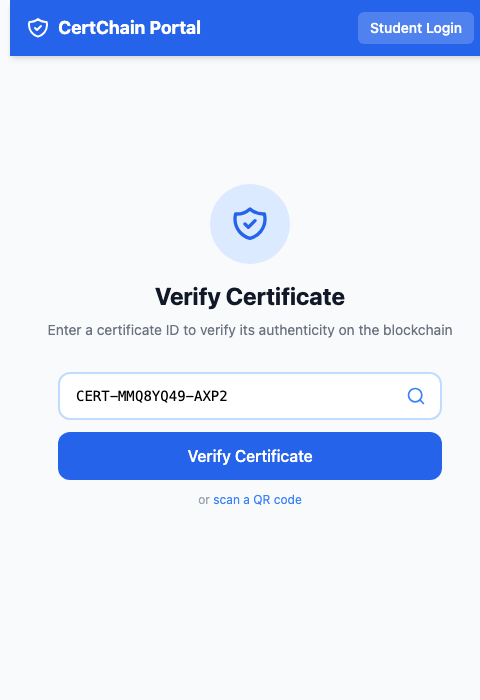
The portal shows a clean verification interface with a search field and a QR code scanning option.
Step 2: Verify a Certificate
-
Enter the Certificate ID you copied from the admin section (or use one from the demo data, e.g.,
CERT-MMOIEBEW-CJJI). -
Click Verify Certificate.
-
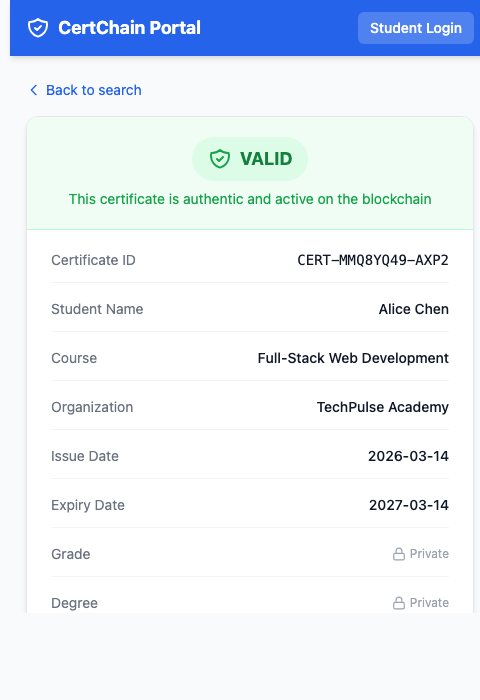
You should see a green Valid badge with the certificate details:
-
Student Name
-
Course
-
Issuing Organization
-
Issue Date and Expiry Date
-
|
Notice what’s missing: Grade and Degree are not shown. As an anonymous verifier, you only see public fields. This is the privacy enforcement — the |
Step 3: Try an Invalid ID
-
Go back to the verification page.
-
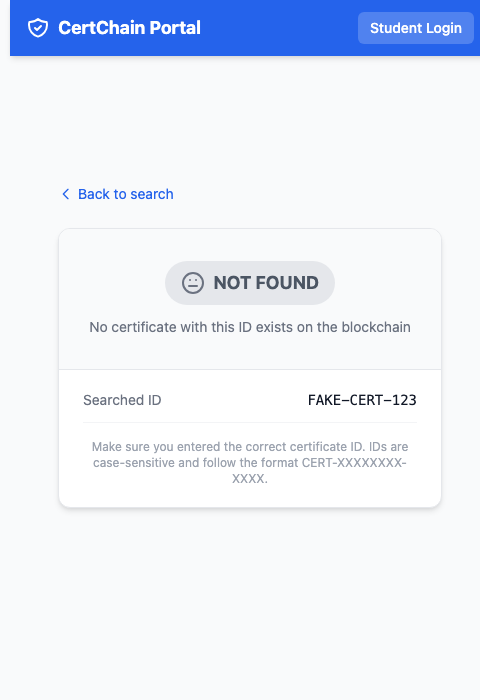
Enter a fake ID like
FAKE-CERT-123. -
Click Verify Certificate.
-
You should see a Not Found result — confirming that only legitimate certificates exist on the blockchain.
Step 4: Verify a Revoked Certificate
If you revoked a certificate in the previous section:
-
Enter the revoked certificate’s ID.
-
Click Verify Certificate.
-
You should see a red Revoked badge — the certificate was once valid but has been permanently revoked by the issuing organization.
|
To revoke a certificate: go back to the Course Manager → Certificates → View a certificate → click Revoke. Then re-verify it here to see the status change. |
How Verification Works
The verification flow is a read-only blockchain query:
-
The
cert-portalfrontend sends the certificate ID to theverify-api -
The
verify-apicalls the Fabric peer using theevaluateTransactionGateway API -
The peer reads the certificate from its CouchDB state database
-
The result is returned — no new blockchain transaction is created
This means verification is:
-
Fast — No consensus overhead (read-only)
-
Free — No ordering or endorsement cost
-
Scalable — Can scale by adding read-only peers